

Prerequisites
You must set the following environment variables before running your agent so the Weave exporter can authenticate and route traces to the correct project: Replace[YOUR-API-KEY] with your Weave API key and [YOUR-ENTITY] with your W&B team or entity name. The WEAVE_PROJECT_NAME value can be any project name. Weave creates the project on first use.
Install Koog (Gradle)
With your environment variables in place, add Koog to your Kotlin project so you can configure the agent and its exporter (Kotlin DSL shown):Enable Weave export (OpenTelemetry)
After you install Koog, install Koog’s OpenTelemetry feature and add the Weave exporter. This maps Koog spans to Weave traces using Weave’s OpenTelemetry endpoint. The following example shows how to use theaddWeaveExporter:
- Uses
weaveEntityandweaveProjectNameto route traces to a specific team and project. - Sets
weaveOtelBaseUrlto your trace endpoint (for example,https://[YOUR-SUBDOMAIN].wandb.io/[PATH]). Use the parameter for dedicated Weave instances.
- Koog’s Weave exporter guide for additional information about the exporter
- Koog’s OpenTelemetry support guide for core concepts about how OpenTelemetry works with Koog
- Weave OTEL docs for information about how Weave ingests OTLP data
What gets traced
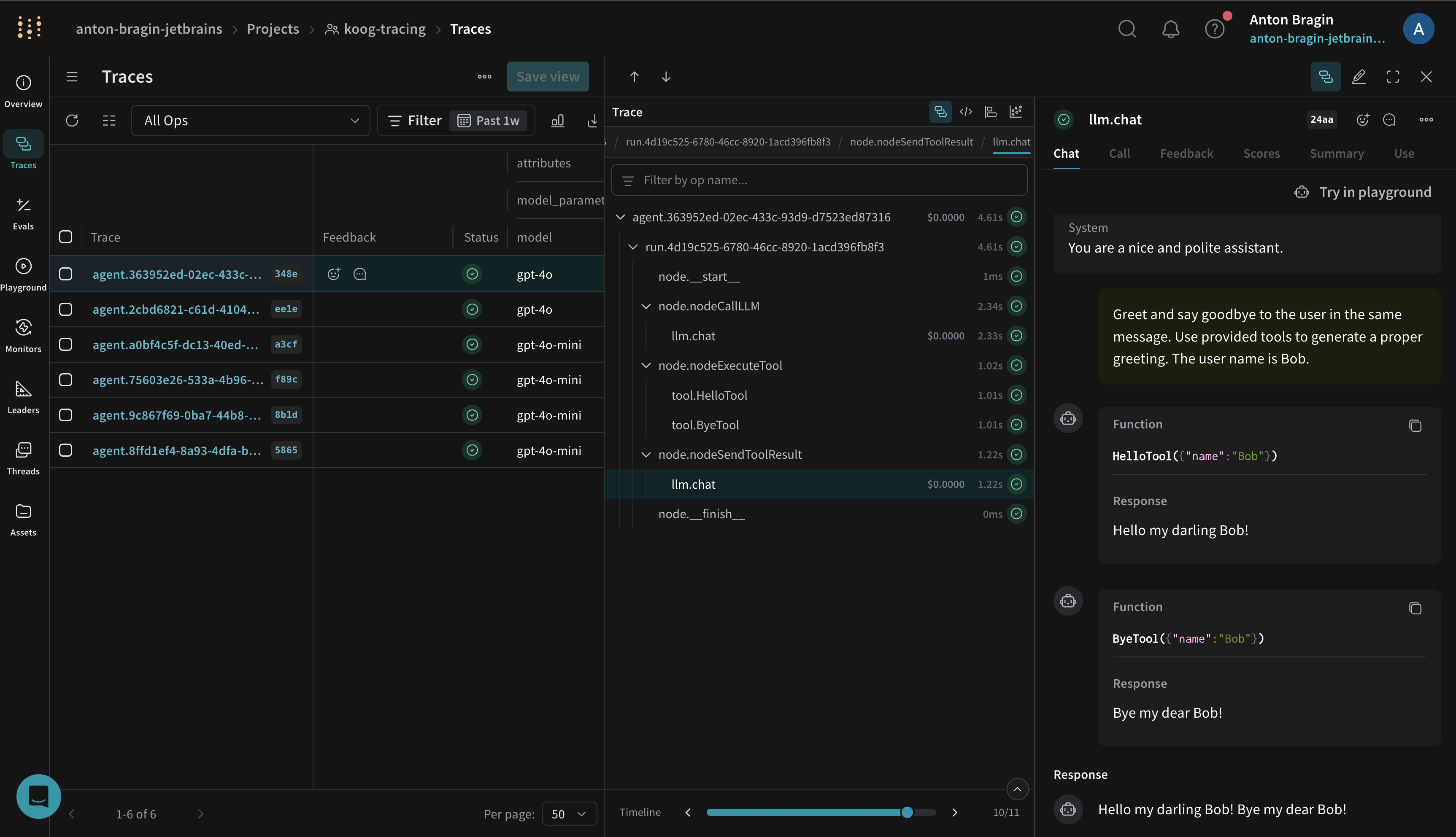
After you run an agent with the exporter enabled, Koog forwards traces to your Weave project. Koog’s Weave exporter captures the same spans as Koog’s general OTEL integration, including:- Agent lifecycle events (start, stop, errors)
- LLM interactions (prompts, completions, token usage, latency)
- Tool and API calls (function calls and external requests)
- System context (model name, Koog version, environment metadata)
Example notebook
See Koog’s documentation for a runnable notebook that streams traces to Weave.Troubleshooting
If your Koog agent isn’t exporting traces as expected, check the following:- If traces are missing, first verify that
WEAVE_API_KEY,WEAVE_ENTITY, andWEAVE_PROJECT_NAMEare set correctly. - Confirm your environment can reach
https://trace.wandb.aiand that the exporter is configured as shown in the preceding examples. - For additional troubleshooting and sampling guidance, see Koog’s OpenTelemetry support.